Properties
Assess an opportunity before purchase with import, analysis and available due-diligence context.

Projects + Properties
Bring property opportunities into one structured workspace, then carry the right one into the work plan.
Assess an opportunity before purchase with import, analysis and available due-diligence context.
Deliver the renovation or other work with stages, Tasks, Schedule, Staff, Items and project Finance.
Manage assets already owned, including rental plans, loans, documents, maintenance and upcoming obligations.
Property records
Enter the address, status and features, then review financial assumptions in the same record. For supported individual realestate.com.au listings, the DayNext Chrome extension can bring listing details into a review step before you save them.
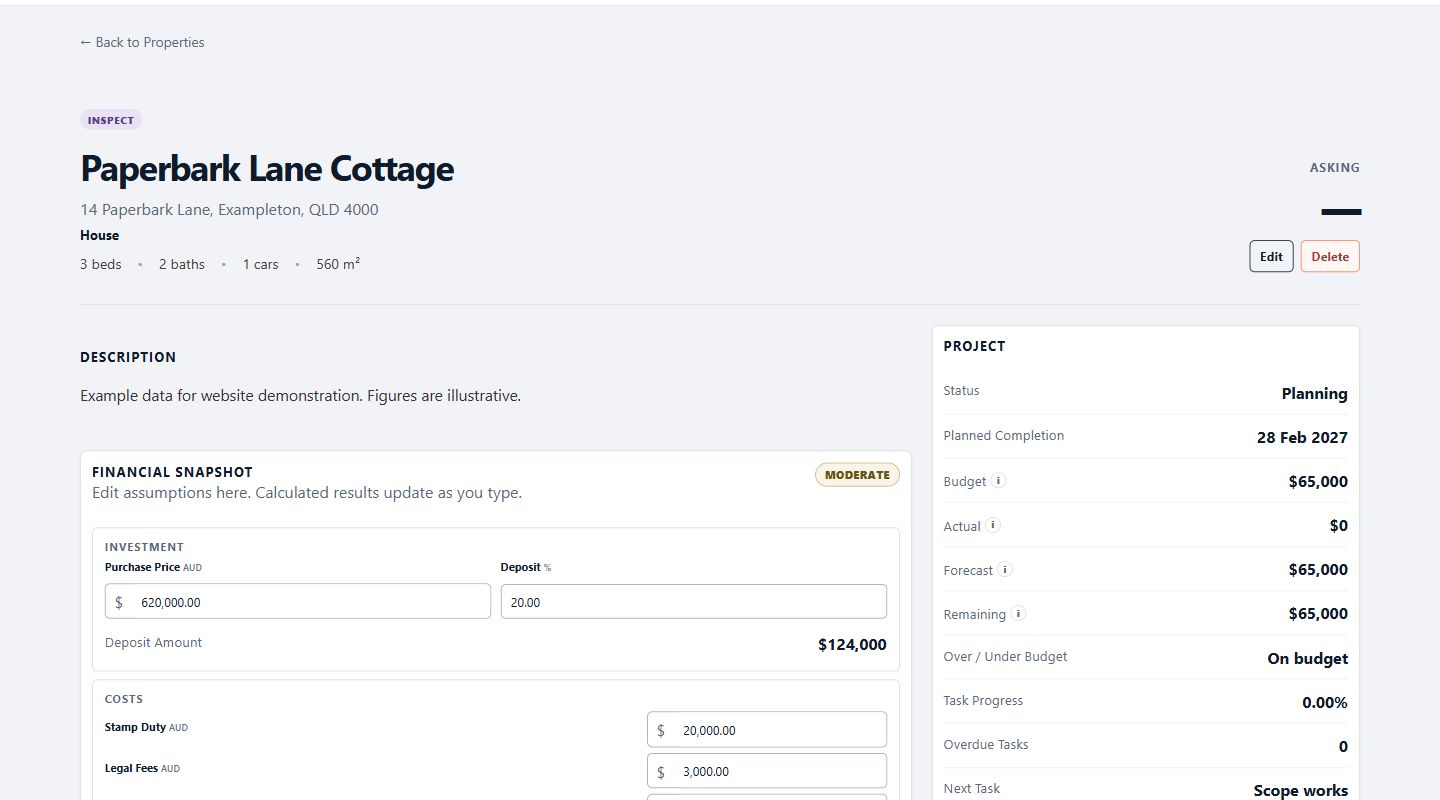
Property to Project
The linked Project panel shows budget, actual, forecast, task progress and a direct Open Project action. The Property remains available for screening and investment assumptions while the Project runs Stages, Tasks, Items and costs.
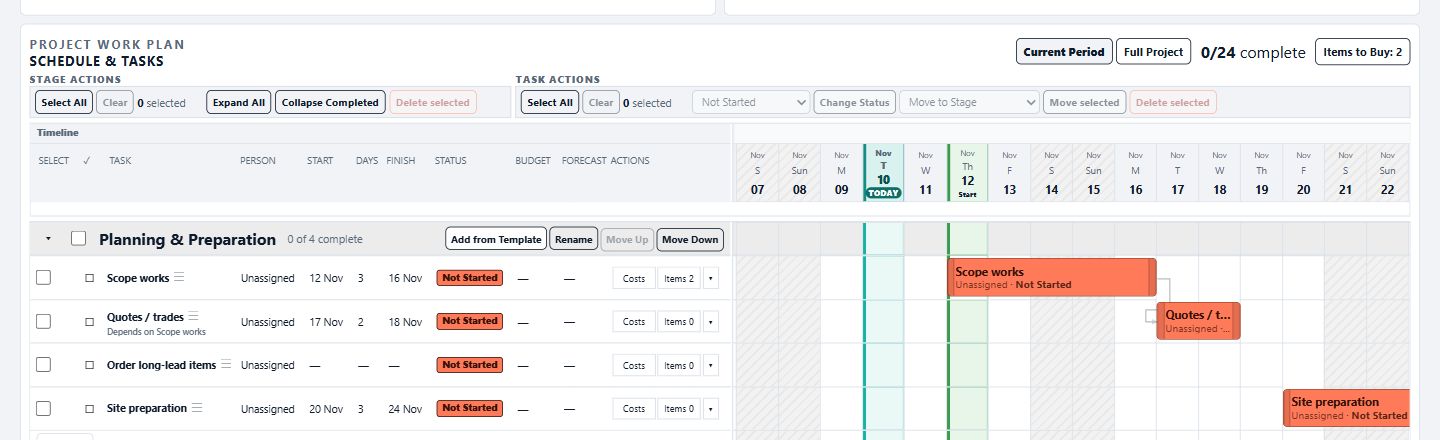
Deal Analysis
Purchase estimate, stamp duty, legal fees, renovation, holding costs, selling costs and expected resale feed a transparent projected profit and ROI. The linked Project forecast can update the renovation assumption while keeping the source visible.
Decision tools
Review break-even resale and maximum purchase for a target profit or ROI. Unknown risk checks remain visible rather than being scored as safe.
Due diligence
For a reliably matched location, DayNext can show available property and planning context, including a risk map when supplied. Maps and risk information depend on reliable location matching and provider availability.
Evidence
Provider source and freshness are retained with the screening result. Verify decisions with official searches and the relevant professionals; DayNext screening does not replace those checks.
Available with Projects + Properties
Includes every Projects feature, Property import and analysis, and Portfolio asset tools.
DayNext organises information and public-data context. It does not provide legal, building, planning, flood, valuation or investment advice. Always verify important decisions with the relevant professionals and authorities.