Industries

Project management for work that happens in the real world.

DayNext sits between generic task lists and oversized construction systems.

Renovation & Property

From opportunity to completed renovation.

The problem: Property analysis, renovation work, trades, items and costs end up spread across unrelated tools.

How DayNext helps: Analyse opportunities when needed, then manage the active project with clear tasks, dates, people, materials and cost forecasts.
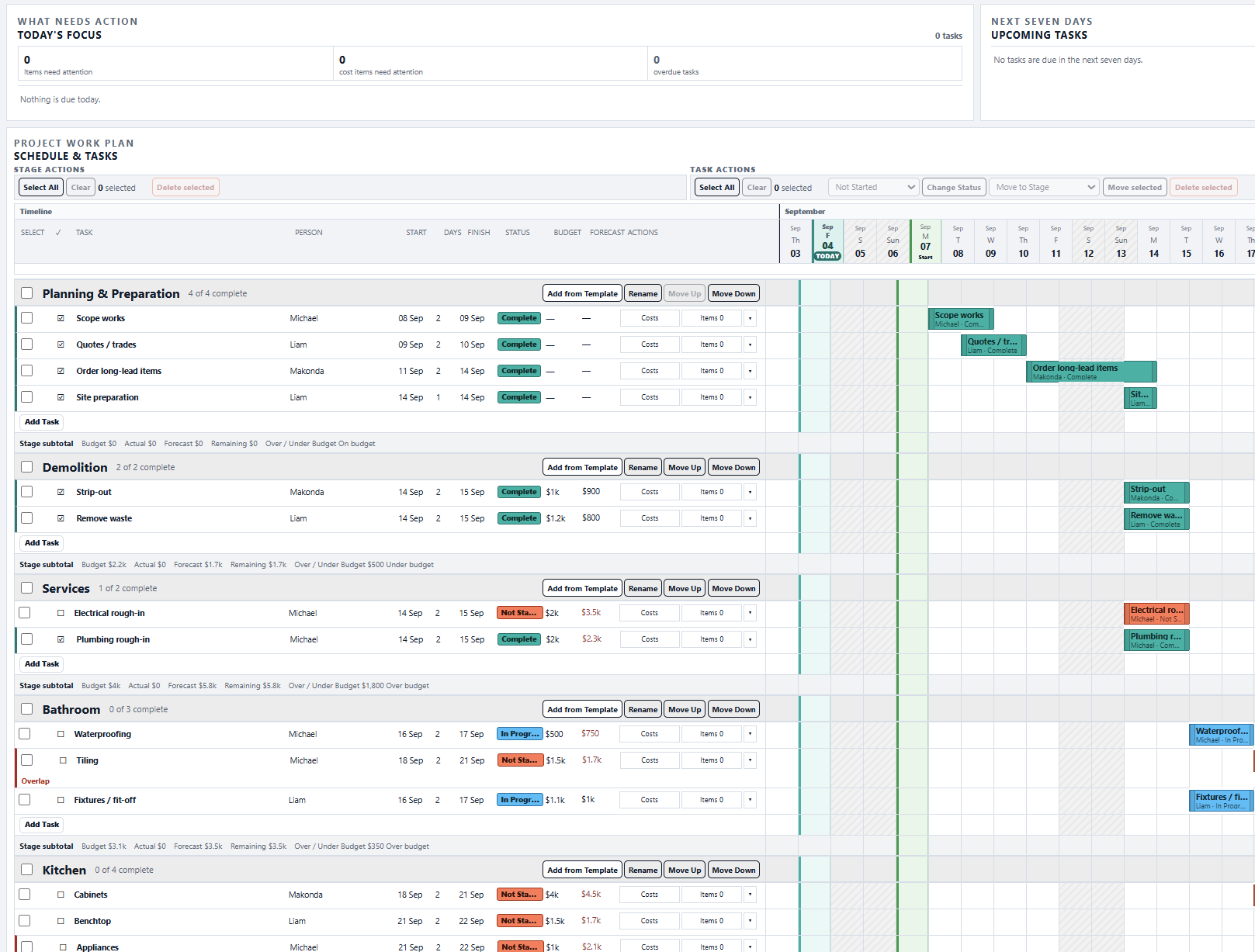
DayNext renovation project Tasks schedule
Explore Properties →

Builders & Trades

Know where every job stands.

The problem: Site work, labour, dependencies and purchasing are hard to see across messages and spreadsheets.

How DayNext helps: Schedule people, organise tasks and materials, and see Budget, Actual, Forecast and Remaining for each project.

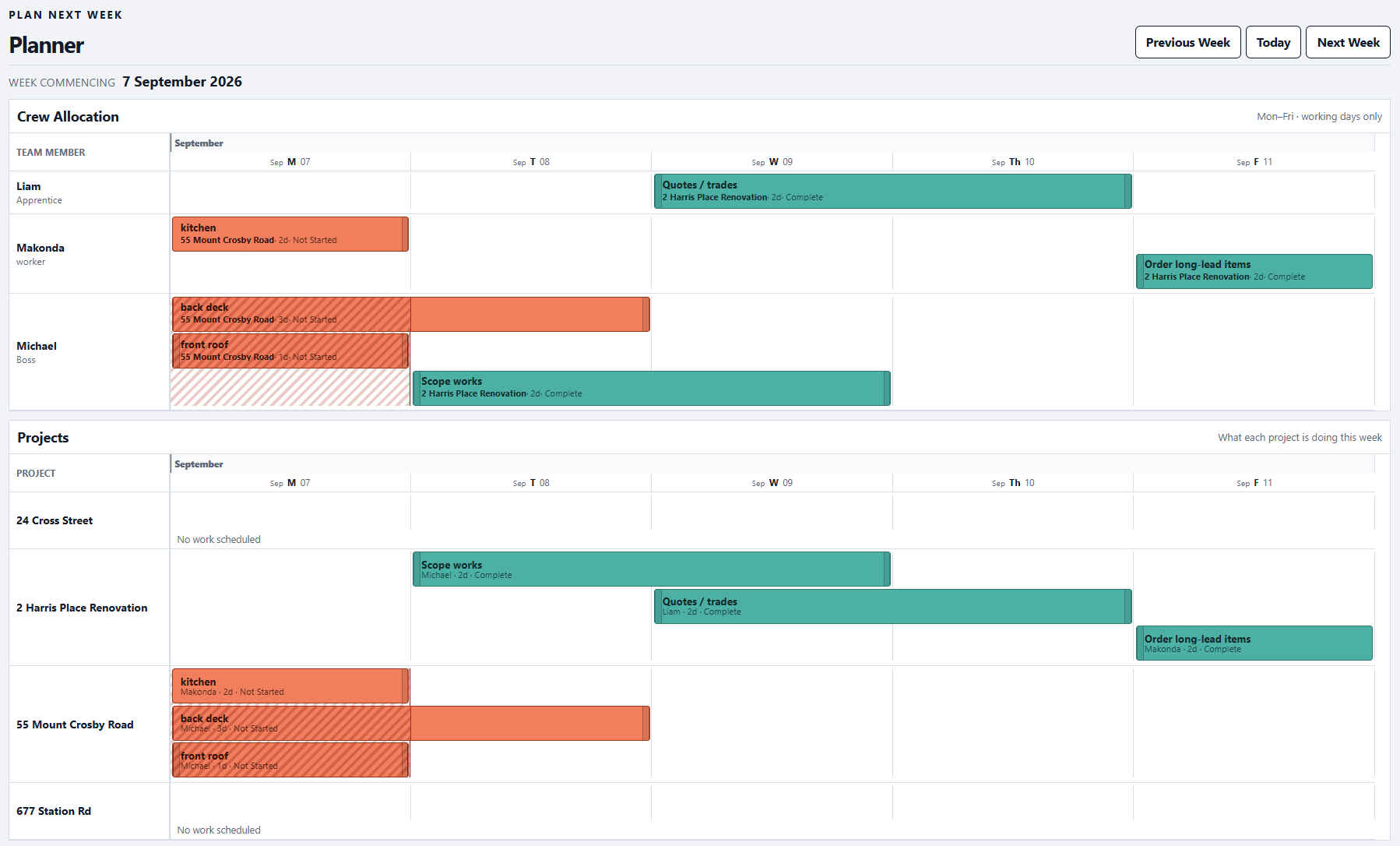
DayNext planner for builders and trades
Start a Projects trial →

Maintenance & Facilities

Replace scattered requests with planned work.

The problem: Recurring and one-off work gets lost across inboxes, documents and verbal handovers.

How DayNext helps: Reuse templates, assign tasks, set dates and keep required items and project costs visible.

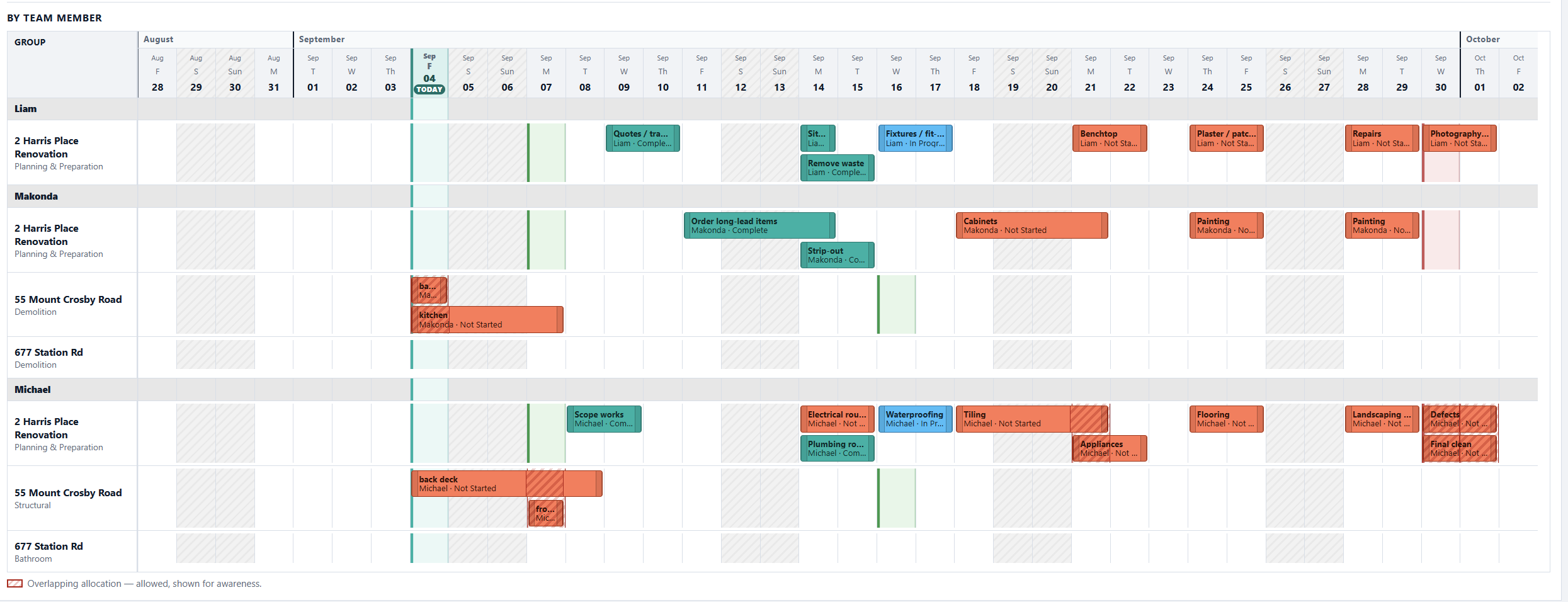
DayNext team schedule by member for maintenance work
Start a Projects trial →

Fit-outs & Refurbishments

Keep scope, contractors and materials aligned.

The problem: Tight programmes suffer when tasks, deliveries and cost changes are tracked separately.

How DayNext helps: Coordinate the project schedule, item requirements, people and latest cost forecast in one working view.

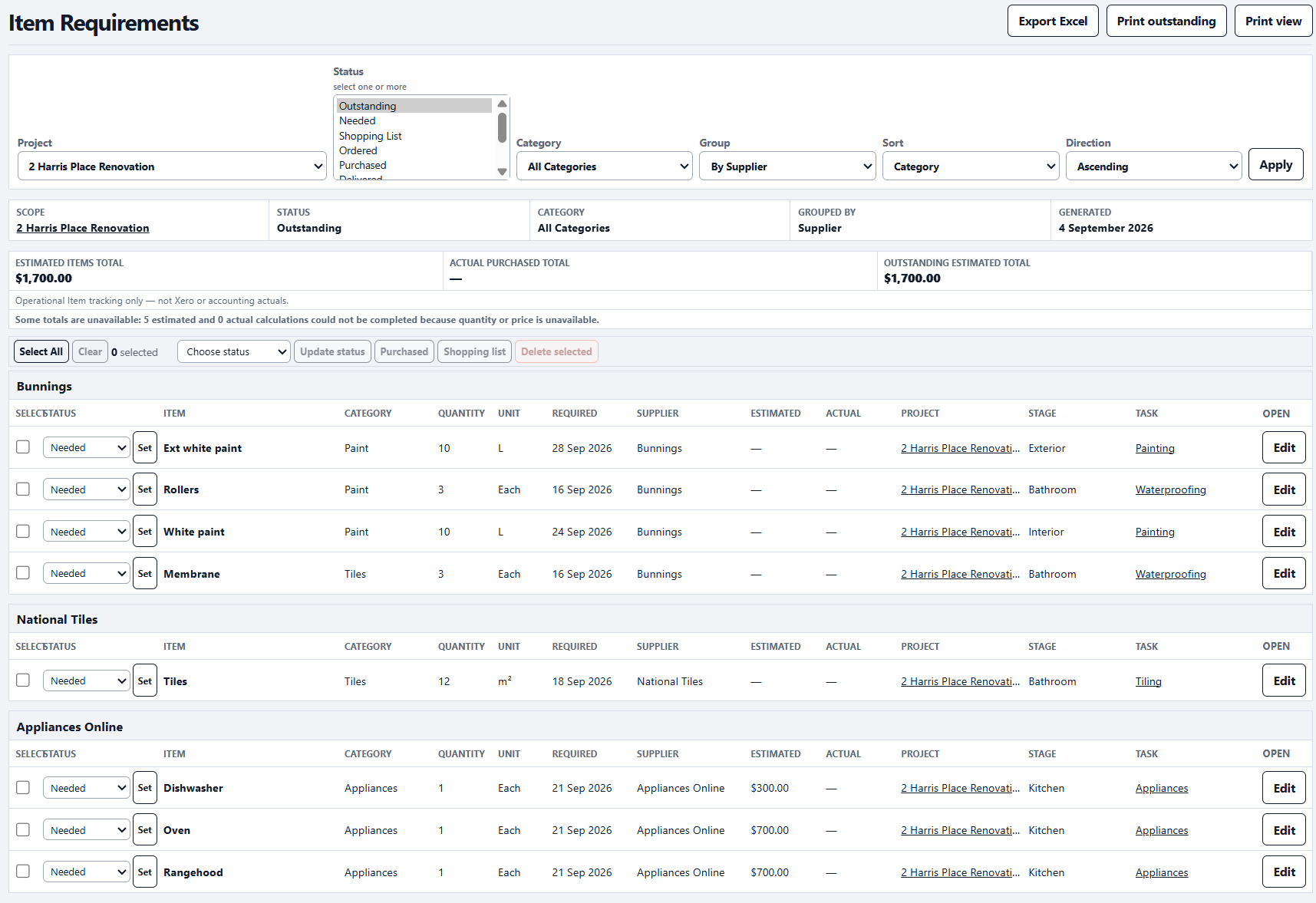
DayNext Item Requirements for fit-outs and refurbishments
Start a Projects trial →

Run the work clearly

Start with a 14-day free trial.

Choose Projects or Projects + Properties when you register.

Start free trial