Plan the work
Stages, tasks, people, dates and calendars.

Simple project management
DayNext brings your schedule, tasks, team, items and project costs together in one simple workspace.
For teams doing real-world work—not software teams or oversized corporate workflows.
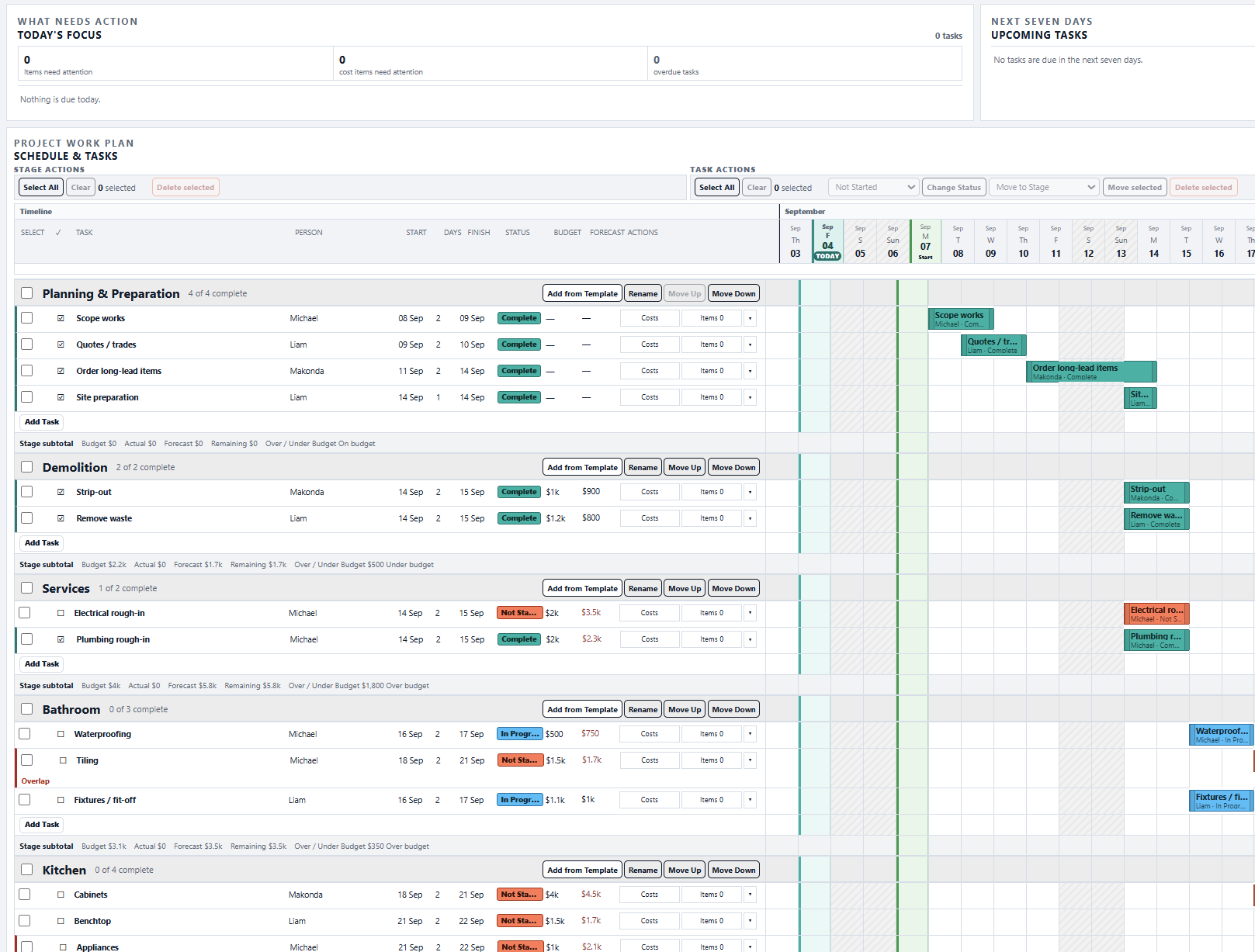
Clear and practical
Stages, tasks, people, dates and calendars.
Budget, Actual, Forecast and Remaining—with Xero Actuals when you want them.
Tasks, items, procurement, schedule and costs in one project.
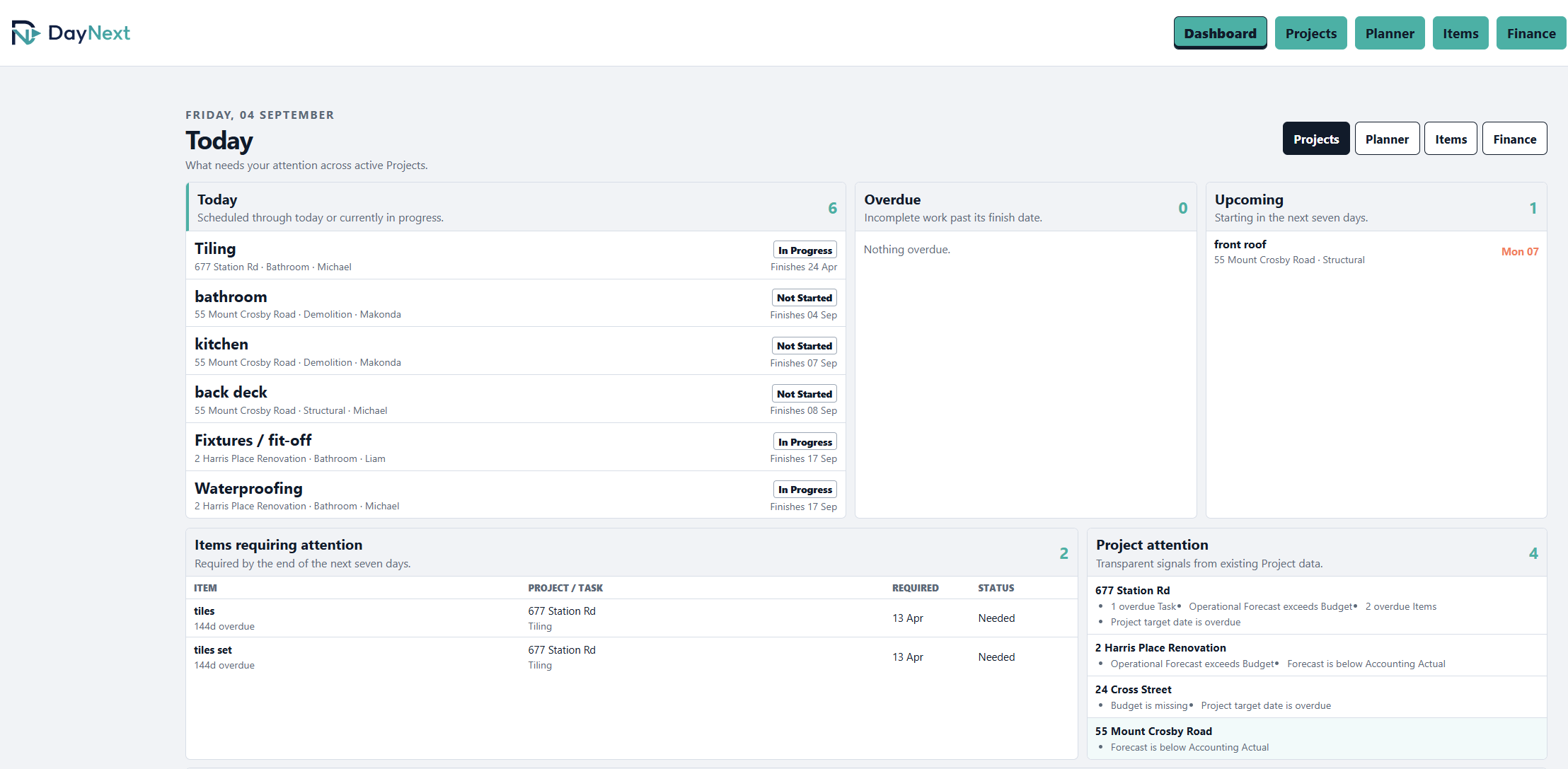
Dashboard
See what needs attention, project status, upcoming work and key performance information at a glance—then move straight to the next action.
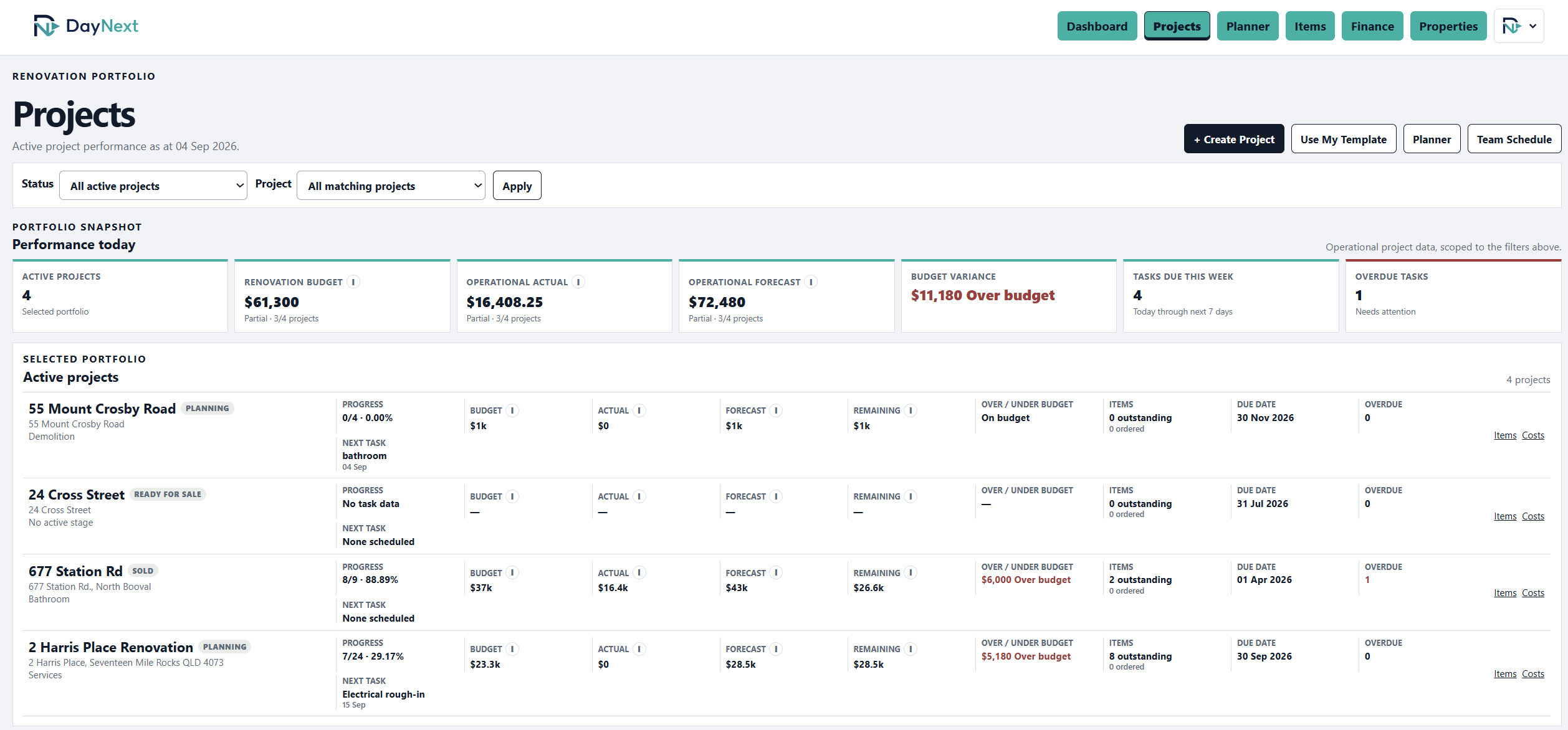
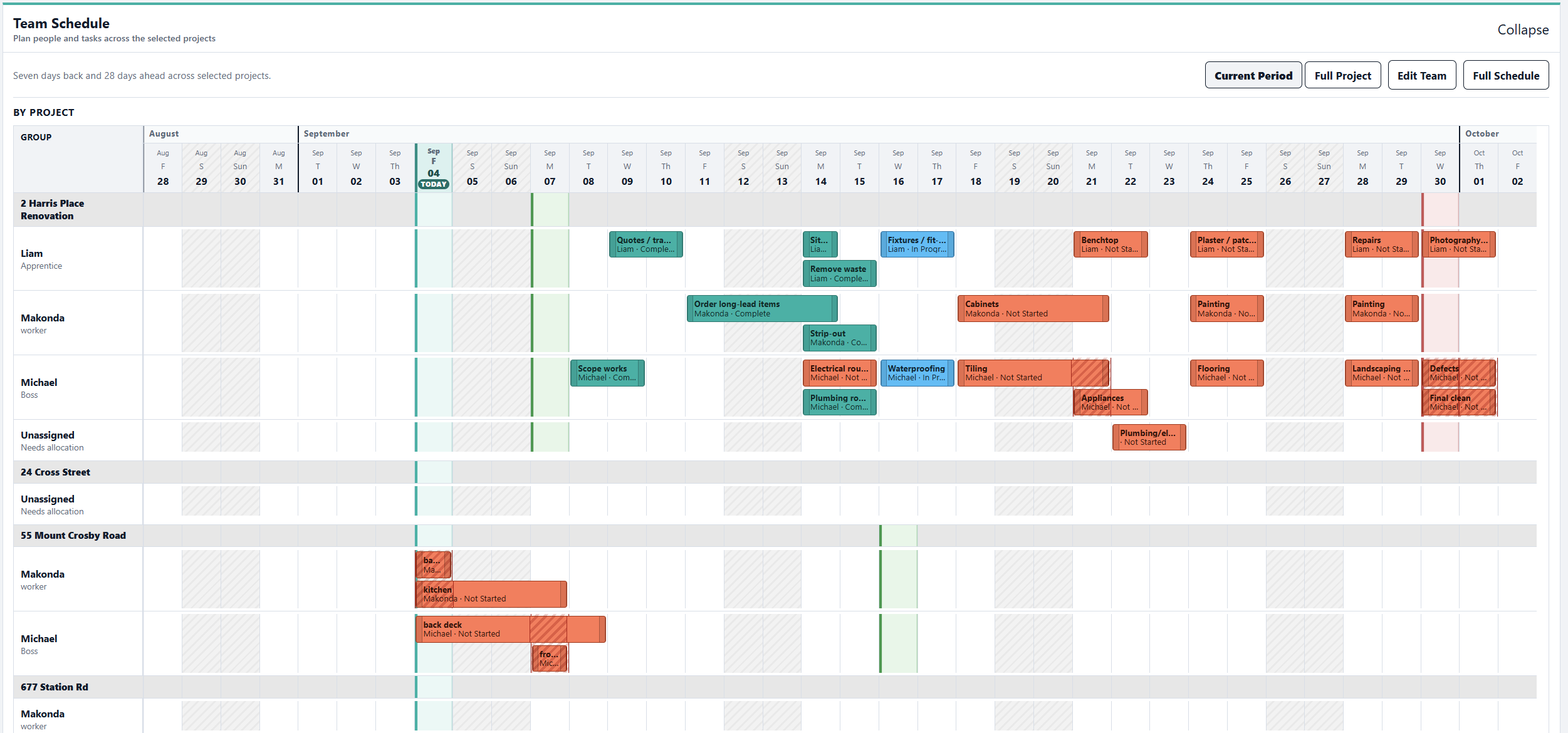
Projects and schedules
Review projects, budgets and variance summaries, then understand the team schedule by project or by person.
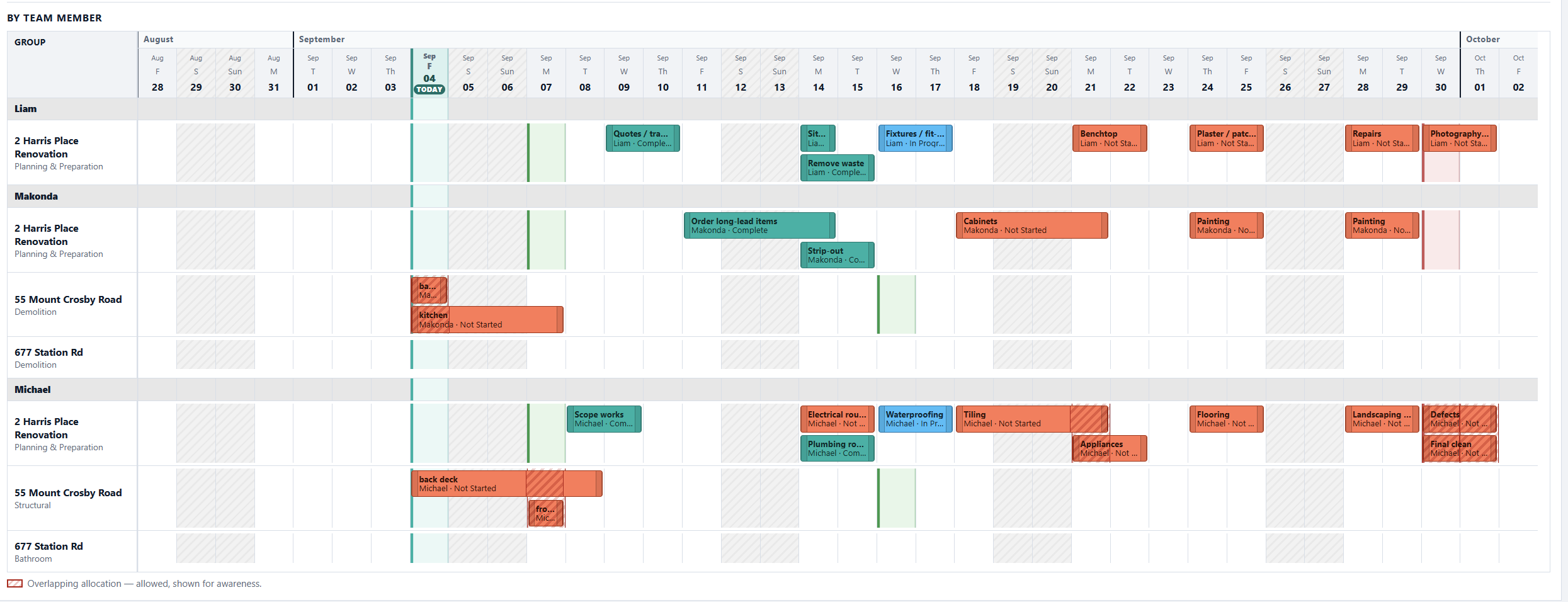
Project work plan
Keep stages, tasks, people, status, calendar and costs together so the team knows what is ready and what comes next.
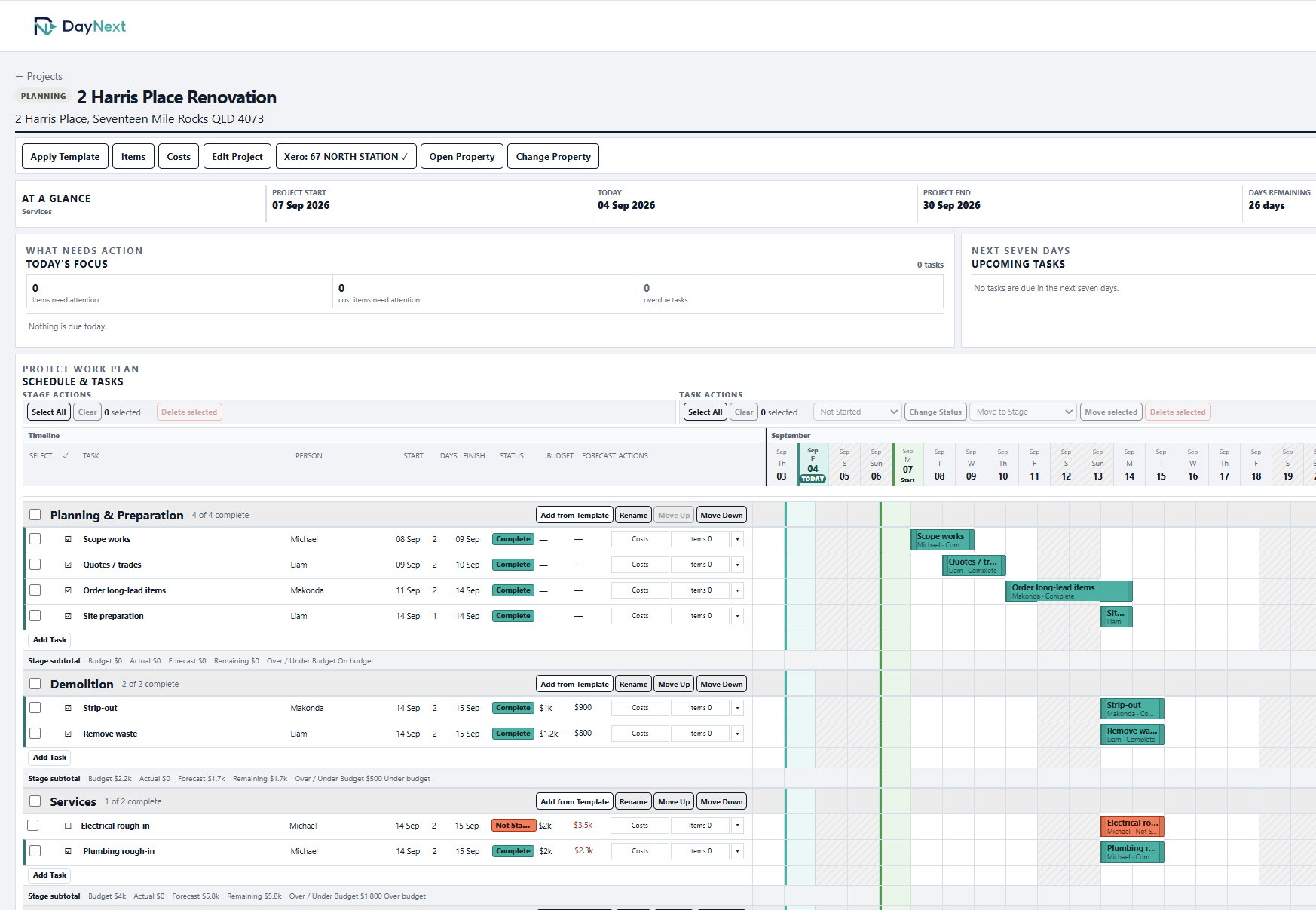
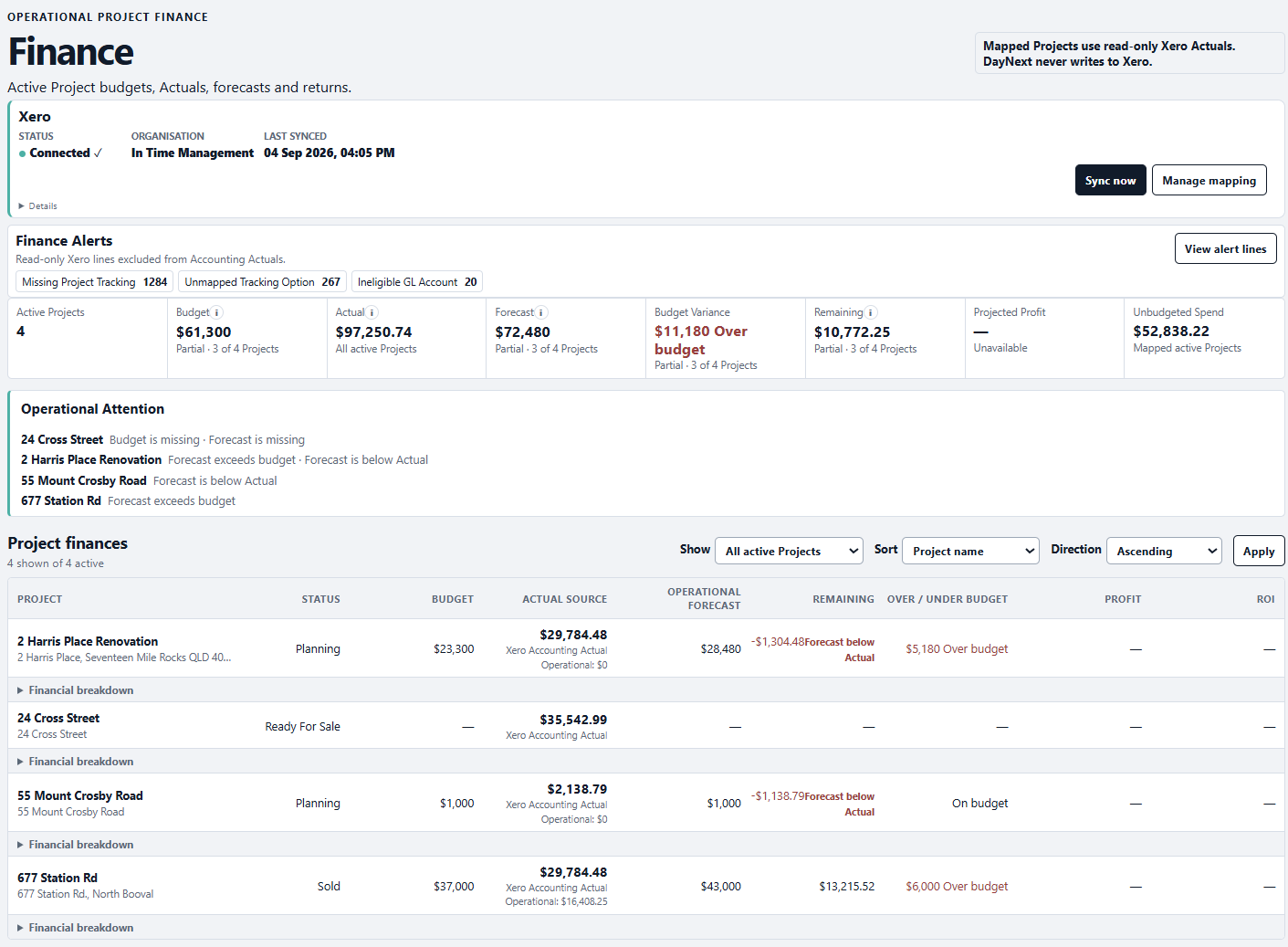
Cost control
See project Budget, Actual—including Xero Actuals when connected—Forecast, Remaining and variance while the project is being delivered.
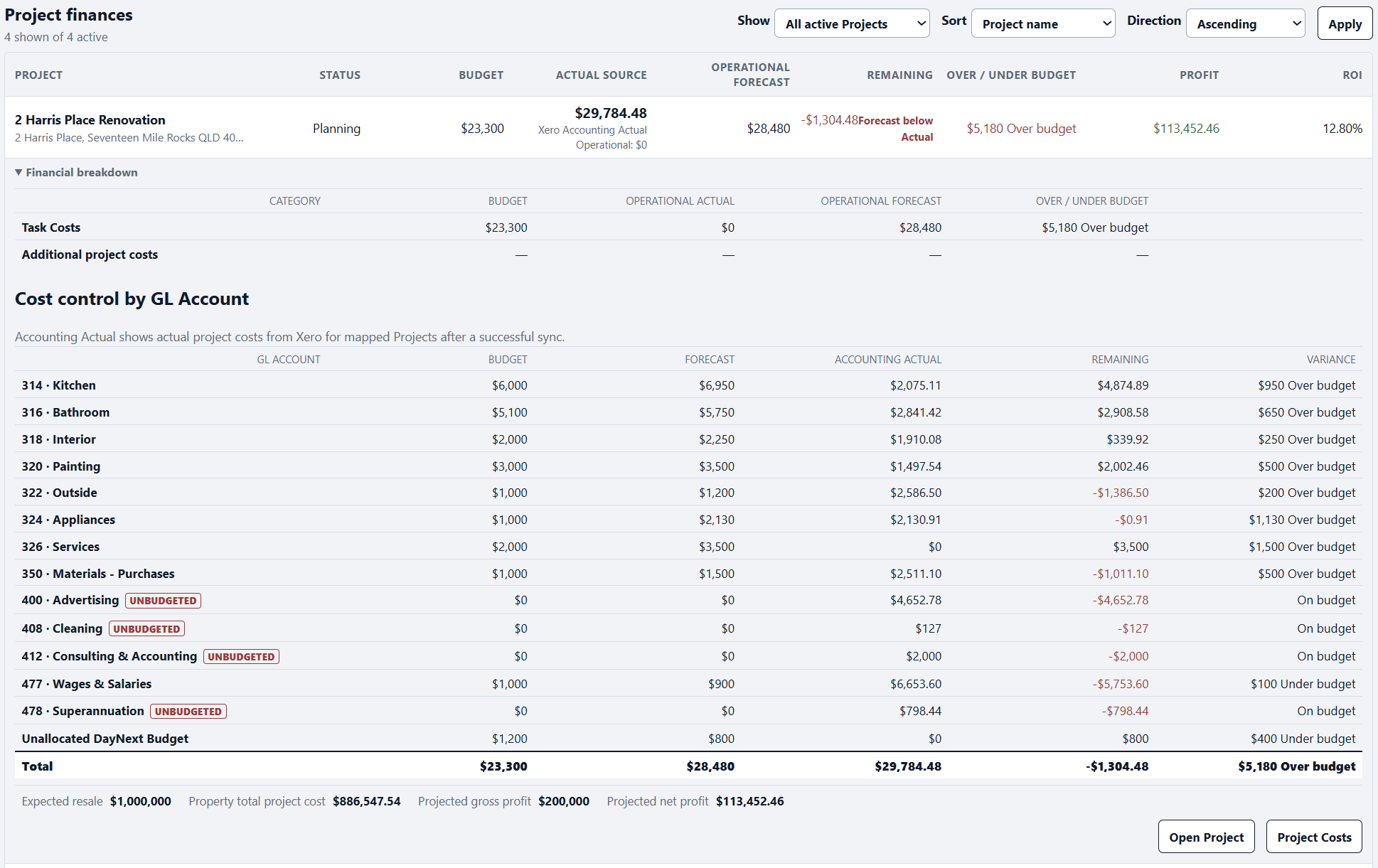
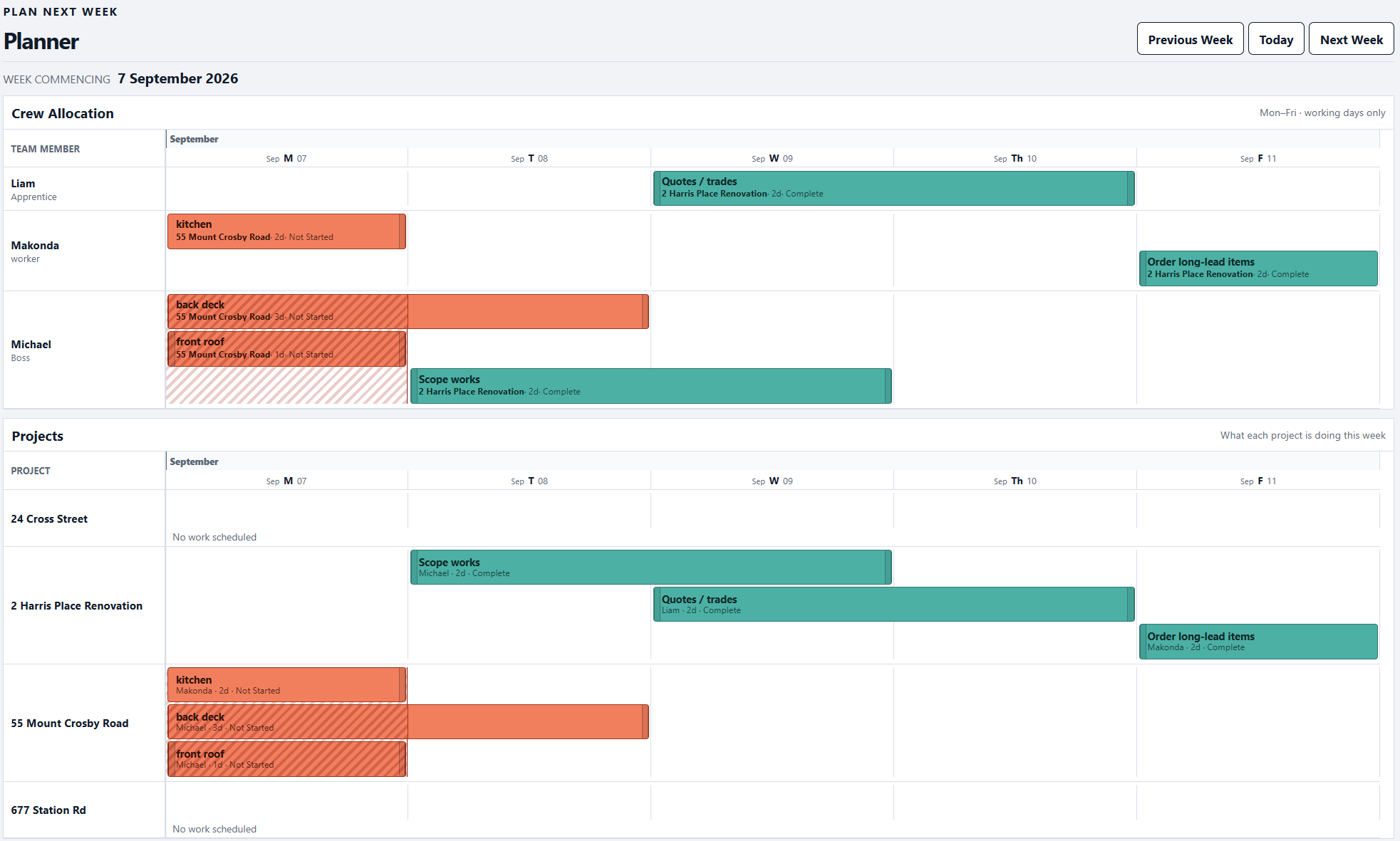
Planner and team
Move work, adjust task dates and keep project and team schedules understandable as plans change.
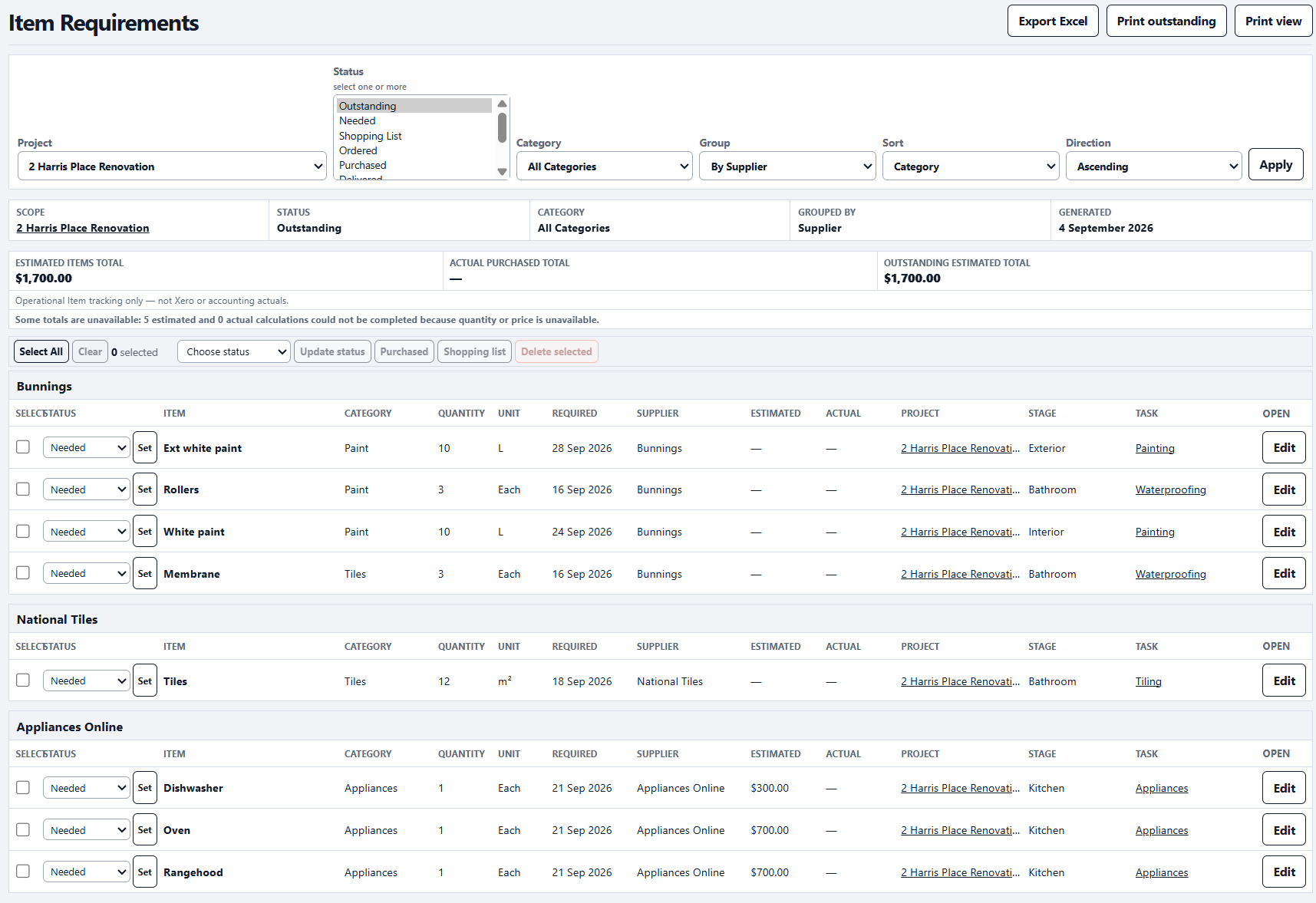
Item Requirements
Keep each Item connected to its Task, required date, supplier and purchase status. Group requirements by supplier, mark progress on the go and see procurement needs before they block the job.
Finance
Who DayNext is for
Plan renovations, manage trades, track costs and keep every property organised.
Schedule work, assign people, manage materials and know where every job stands.
Coordinate recurring and one-off projects without relying on spreadsheets and messages.
Keep scope, dates, contractors, materials and costs together from start to finish.
Optional property tools
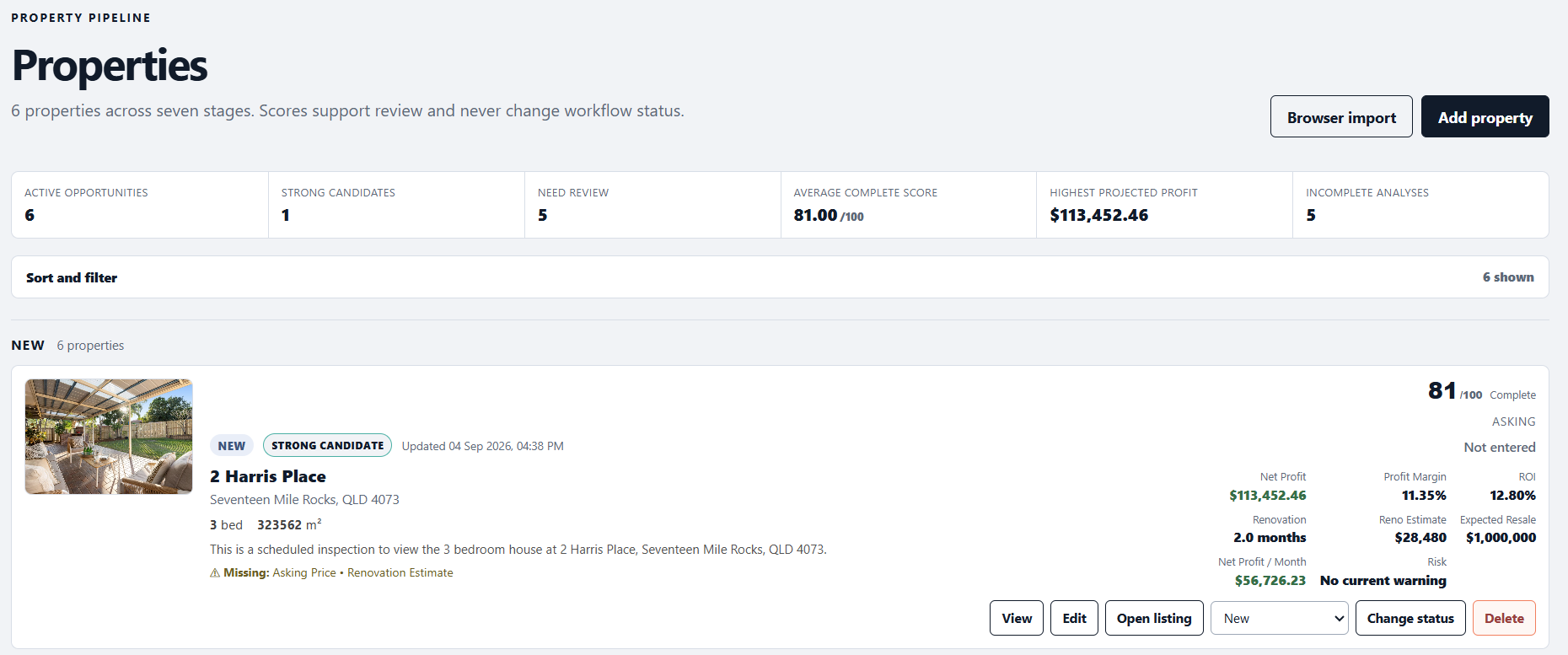
Add Properties to analyse opportunities before turning them into active projects.
Connect Xero
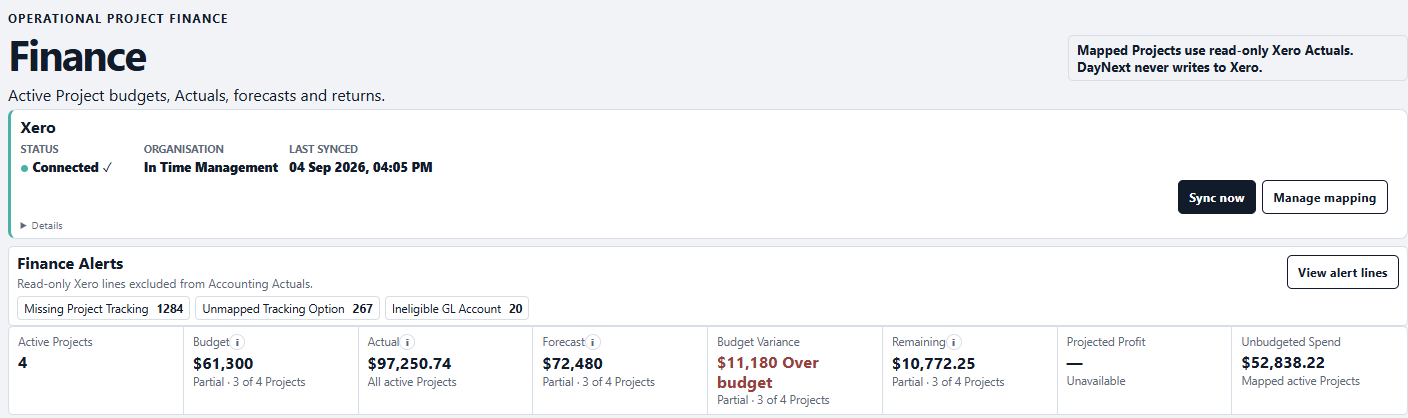
Connect Xero to bring tracked project accounting costs into DayNext, reduce manual cost updates and keep project cost visibility current without turning project management into accounting software.
Simple pricing
Both plans include a 14-day free trial.
$19 AUD / month
or $190/year
Start free trial$25 AUD / month
or $250/year
Start free trialSimple project control
Start your 14-day DayNext trial.