Actual timing
Choose cash dates for transaction-dated payments and receipts, or coverage allocation for eligible recorded costs across their covered months. Include unpaid bills is an optional outstanding-balance overlay.

Portfolio · Projects + Properties
Portfolio tracks owned property and other assets, financial plans, documents, maintenance and dated obligations. Properties helps assess opportunities before purchase; Projects runs the work.
Overview
See original purchase price, purchase deposit, dated value, contractual loan balance, offset cash and estimated equity. Group assets by ownership entity and switch between Whole asset and My combined share figures. The offset is shown beside its property and counted once as a separate cash asset.

Rental, Loans and Expenses
Review dated loan principal, repayment terms and offset cash in one place. Rental keeps scheduled income separate from actual receipts; Expenses distinguishes expected costs from bills and payments.

Portfolio Planner
Use a grouped table or Timeline, filter by asset or obligation, and open a dated occurrence to inspect or edit it. Portfolio Planner is for asset obligations; Project Schedule is for project work.
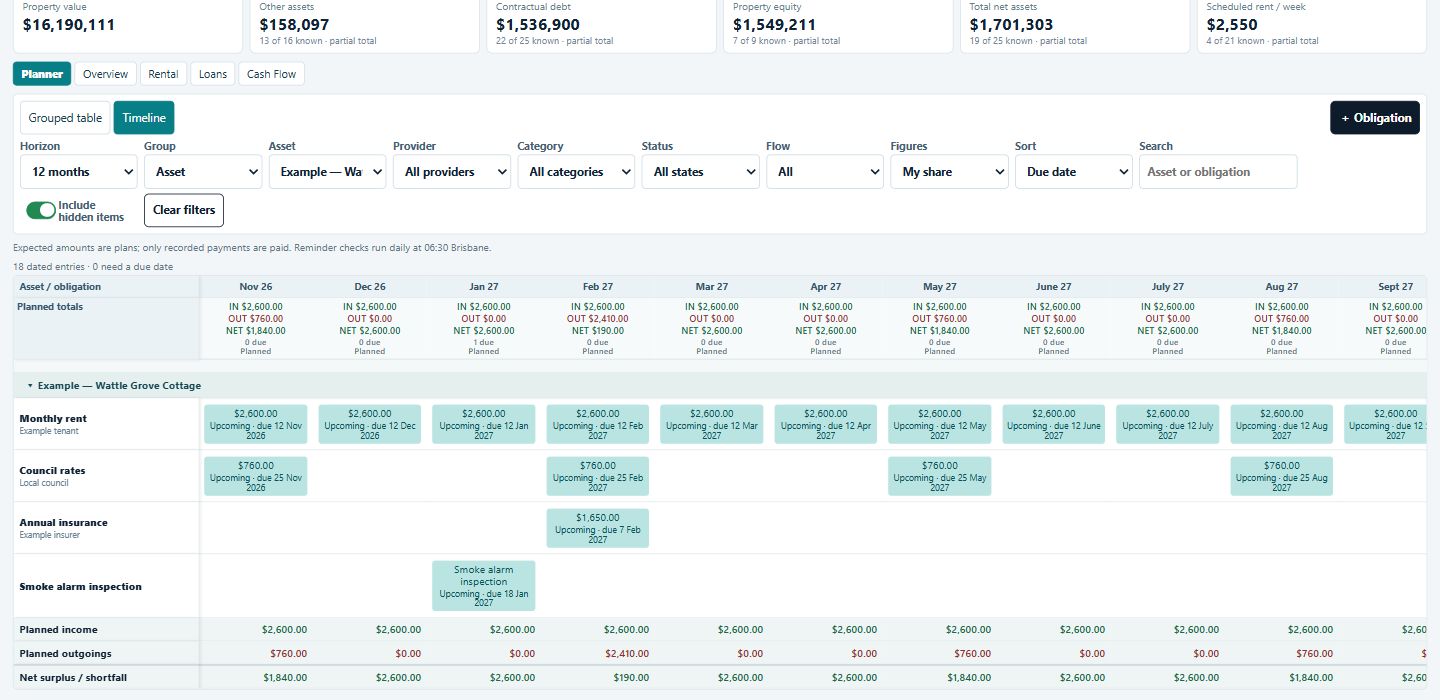
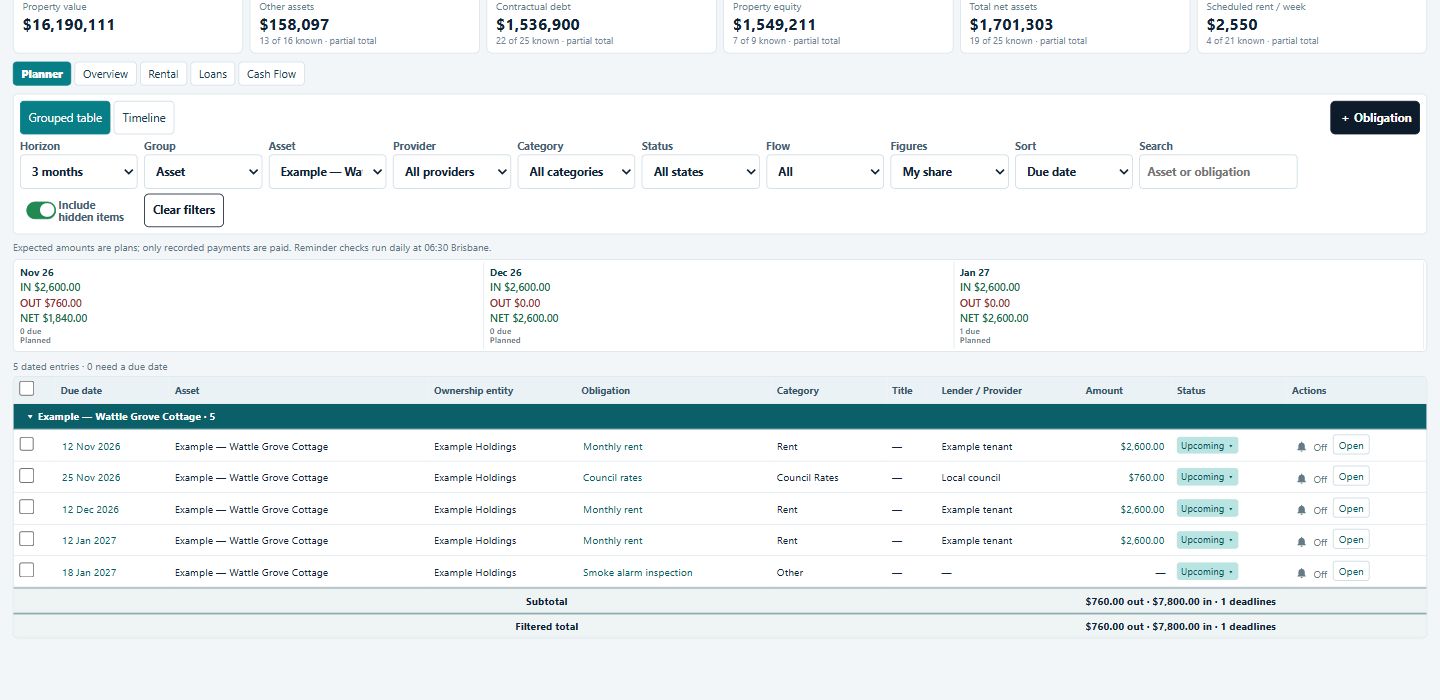
Recurrence supports every four months, annual date patterns and specific user-entered dates. Entity-level BAS/PAYG obligations use dates you enter; DayNext does not calculate universal tax deadlines or lodge with the ATO.
Bills, receipts and Cash Flow
A bill records a document and amount; it does not record a cash payment. Record partial or final payments and receipts separately, with reversal history where needed.
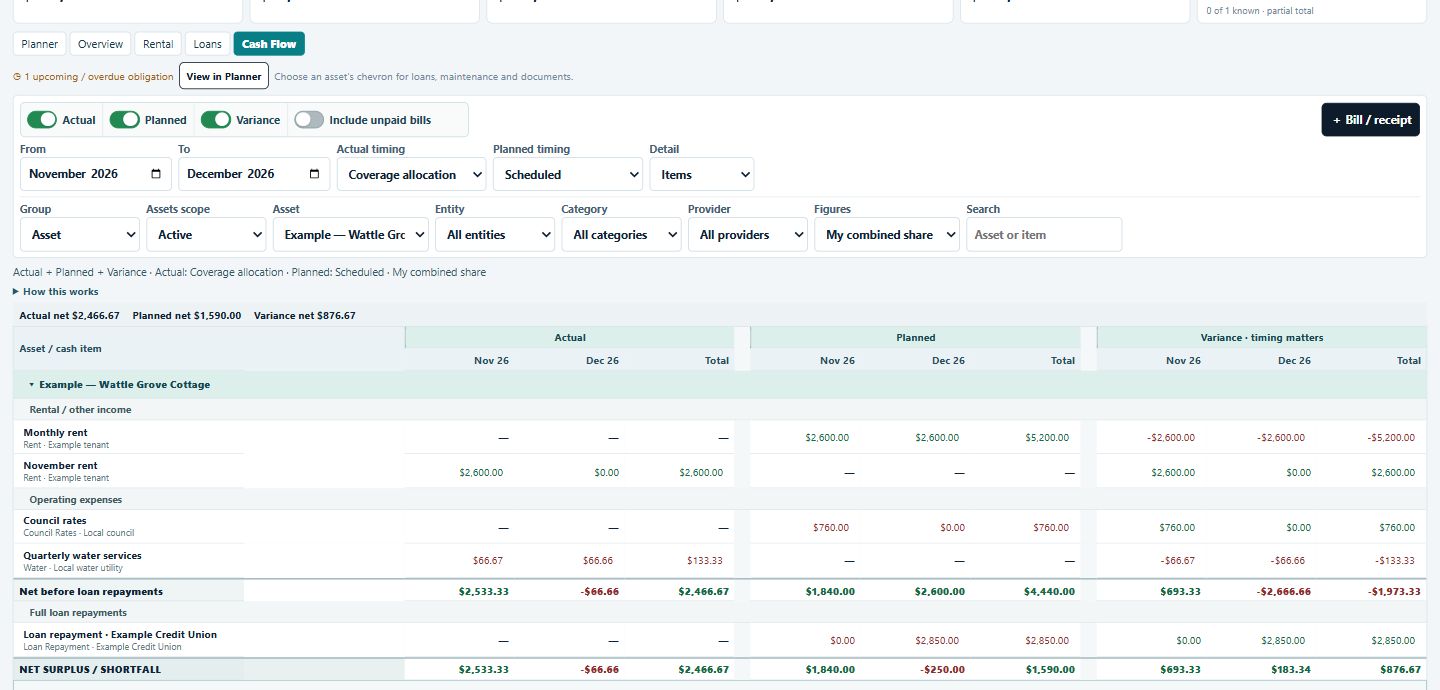
Choose cash dates for transaction-dated payments and receipts, or coverage allocation for eligible recorded costs across their covered months. Include unpaid bills is an optional outstanding-balance overlay.
Choose scheduled dates or monthly averages for the original plan. Neither setting changes recorded cash.
Compare the selected Actual and Planned bases over the same months. Partial or missing data stays marked.
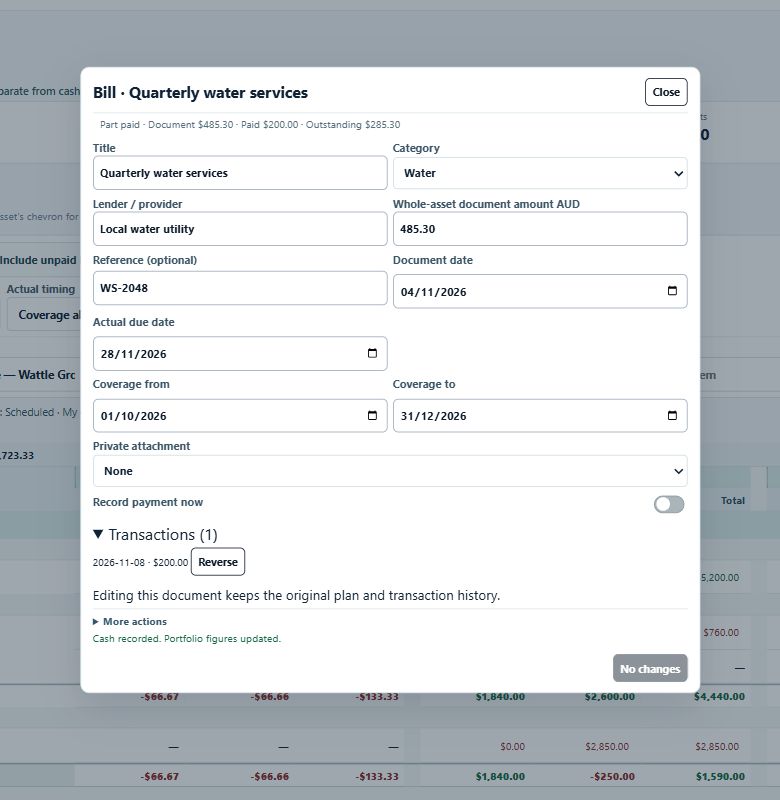
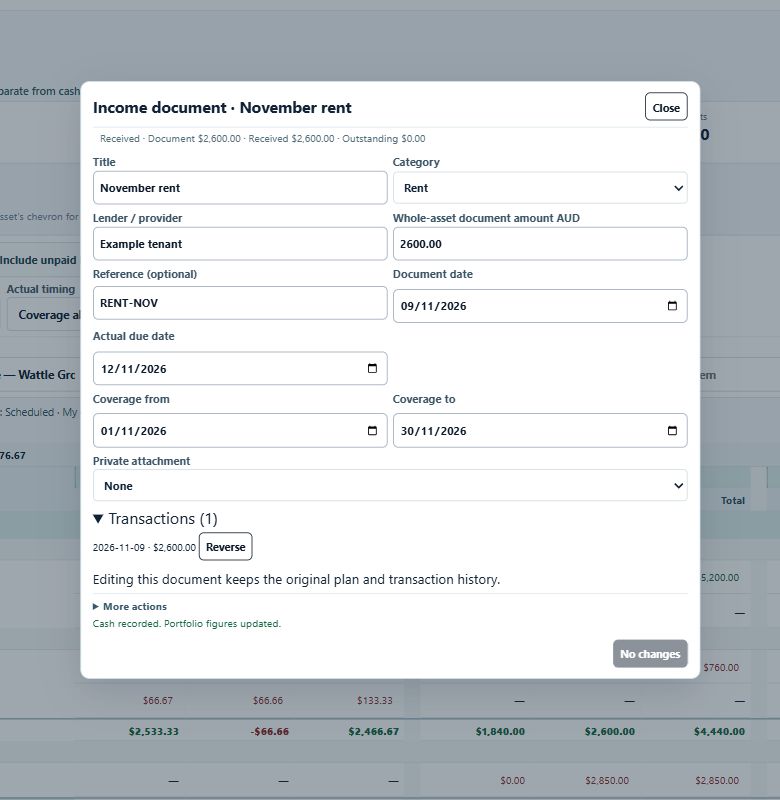
Keep private asset documents, maintenance records and due dates with the relevant asset.
Choose email or push where supported, with account, device and obligation preferences. The daily check runs at 06:30 Australia/Brisbane; changes after that check may wait until the next day. Android push availability depends on device credentials and testing.
Included with Projects + Properties
Includes all project modules, Properties analysis and import, and Portfolio. No bank feeds, automatic payments, automatic valuations or Portfolio–Xero integration are implied.